PBS KIDS Video
- 4.4
- Rating
- 10.00M
- Installs
- Free
- Price

 Analysis by App-foxy
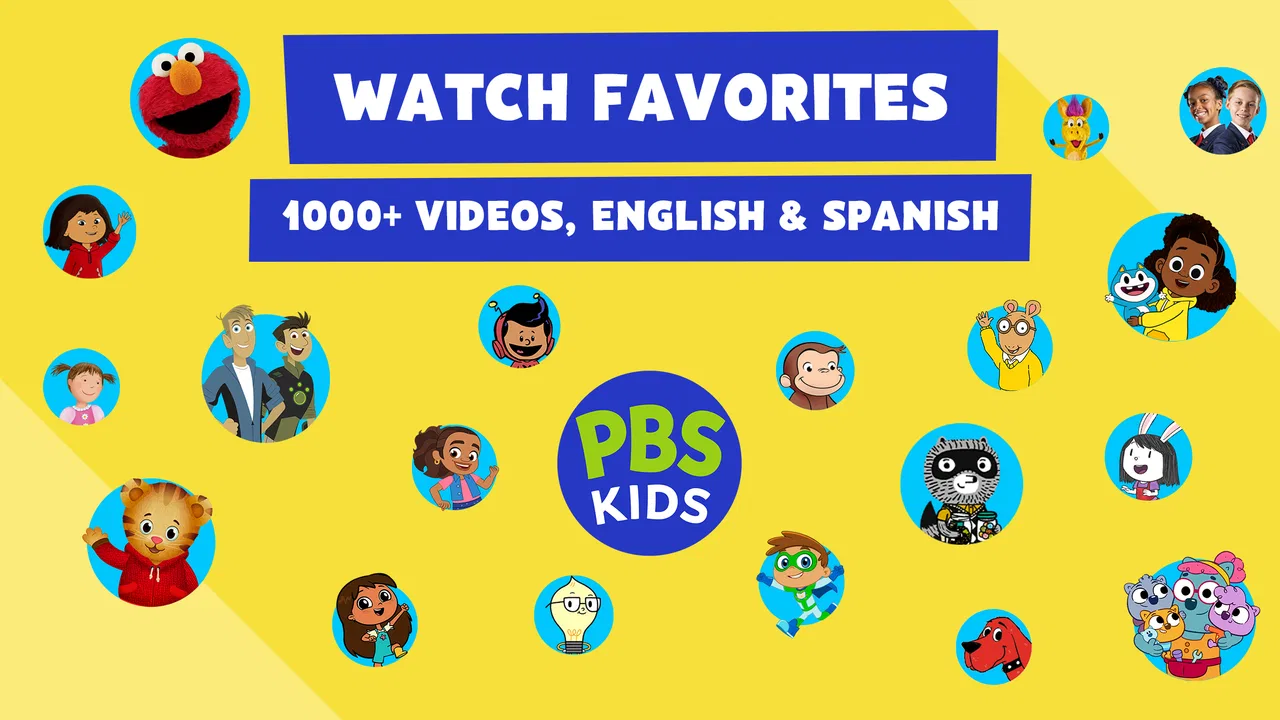
When I first opened PBS KIDS Video, I understood the appeal almost immediately: it puts familiar educational television, shorter clips, films, and children’s programs in one place, with the option to stream or download selected viewing for later. That makes it easy to use during a quiet afternoon, a long wait, or a moment when a child needs something calmer than a fast-moving game. I reviewed it as an education app rather than treating it like a simple video player, because its real value depends on whether the content remains useful after the first burst of curiosity.
My overall impression is positive, especially for families who already trust PBS KIDS and want a straightforward screen-time choice. It is free, aimed at Everyone, and developed by PBS KIDS. The app has reached over ten million installs, with a 4.2 average from roughly sixty-five thousand ratings and about twelve thousand written reviews. Those figures suggest that it has become a regular household tool for many people, not merely an app downloaded once and forgotten.
What the first week feels like
The first few sessions are usually the easiest part. A child can browse by watching rather than reading, and the mixture of episodes, shorts, movies, and television content gives the app a broader feel than a single-show companion app. I found that useful because children often arrive with different moods: one day they want a familiar character, another day they want something new, and sometimes they only have time for a short video.
You May Also Like

 Blood Strike: 2.5 Anniversary
Blood Strike’s Loadouts Turn Every Drop Into a Tactical Gamble
A close look at Blood Strike’s custom loadouts: how fast access to signature weapons reshapes its battle royale rhythm, rewards preparation, and narrows the gap between fights.

 Pandora - Music & Podcasts
Pandora’s Music Is Easy to Start, but Harder to Recover
Pandora’s strength is its low-effort path from a seed to a station. Its weak spot is how much confidence it asks you to place in connection, setup, and quiet recovery.

 8 Ball Pool
 Is Built on Rivalries, Rematches, and Routine
A close look at the rivalries, rematches, shared routines, and unanswered safety questions that turn a quick pool match into a persistent mobile community.

 Samsung Music
’s Quiet Strength Is Playing What You Already Own
Its reach comes less from spectacle than from dependable access to a personal library. That simplicity is both the app’s strongest retention engine and its ceiling.

 AccuWeather: Weather Radar
AccuWeather Review: A Quick, Clear Forecast for Everyday Decisions
For everyday plans, the best forecast is the one you can understand quickly. AccuWeather makes rain timing, radar, and local conditions easy to act on, with a few trade-offs.

 Hill Climb Racing
Why Hill Climb Racing Still Turns Crashes Into One More Run
A tiny car, a bumpy hill and one more upgrade: Hill Climb Racing keeps resurfacing because its simple chaos makes every near-miss feel personal.
More From Our News Desk



The strongest early benefit is reduced decision-making for the adult. Instead of searching the wider internet and checking whether every result is suitable, I can open one child-focused destination and choose from its programming. That does not remove supervision, but it makes the starting point much more comfortable. For a younger viewer who cannot type a search request, the visual browsing experience is also more practical than a general video service.
A realistic use case is the after-school transition. A child may be tired, hungry, and not ready to move directly into homework or dinner. I would use a short program as a bridge, then stop the viewing before it turns into an unplanned evening of videos. The app works best in that role when I decide the purpose beforehand: one episode while preparing food, a downloadable selection for travel, or a quiet program before bedtime.
The download option is particularly useful when I know the viewing situation will be inconvenient. On a journey, in a waiting room, or somewhere with unreliable connectivity, preparing content in advance can prevent the usual scramble. My practical tip is to download while the child is not watching, then check that the chosen material is ready before leaving. That small habit makes the feature much more useful than treating it as an emergency button after the connection has already failed.
The app’s educational identity also changes how I watch with a child. I do not assume that any program automatically becomes learning just because it comes from an educational brand. I get more value when I pause afterward and ask what happened, invite the child to explain a character’s choice, or connect a story to something at home. The video supplies a shared starting point; the conversation is where much of the lasting value appears.
Why it is easier than general video apps
Compared with a broad video platform, PBS KIDS Video feels less dependent on search skill and adult filtering. General services may offer more total material, but that abundance can become a problem: a child can move from one unrelated recommendation to another, while the parent spends time checking channels, advertisements, or unsuitable suggestions. Here, the narrower purpose is an advantage.
That advantage has a trade-off. A general service is better when a family wants nearly unlimited choice, highly specific interests, or content for several age groups at once. PBS KIDS Video is more focused. I would choose it for dependable children’s viewing, not as the only entertainment service for an entire household.
What remains useful after the novelty fades
The important test is whether the app still earns space on the device after the first week. In my experience, it can, but only when it becomes part of a routine rather than an endless catalogue. The recurring value comes from having a familiar place for age-appropriate viewing, a selection that can serve different lengths of free time, and content that adults can introduce without rebuilding their trust in the platform every day.
For younger children, repetition is not necessarily a weakness. Watching a known episode again can support comprehension, language, and confidence, especially when the child begins predicting what will happen. I would not judge the app only by how quickly it offers something new. A program that a child returns to and discusses may be more useful than a constantly changing stream that is quickly forgotten.
For older children who are moving toward independent browsing, the app can serve as a gentler step between shared viewing and choosing programs alone. I still recommend checking in, but the narrower environment gives a child room to make small choices without exposing them to the full complexity of general video platforms. This is one of the less obvious strengths: the app can support gradual independence, provided the adult remains involved in setting boundaries.
The free price matters over time. Families do not have to add another subscription simply to maintain access to this kind of viewing. That makes it easier to keep installed for occasional use, even if it is not opened every day. I see it as a dependable backup and a useful regular option, rather than an app that needs to dominate a child’s screen time to justify itself.
The current version is 7.1.10, and the app has been available since June 24, 2014. I mention that history because it helps explain why the product feels like an established part of children’s media rather than a newly assembled catalogue. Still, longevity alone does not guarantee that every child will remain interested. A child who has moved beyond the app’s intended programming may naturally outgrow it, and that is a normal limitation rather than a defect.
How I would build a repeatable routine
I would begin by choosing a small number of viewing moments instead of leaving the app available as background entertainment. For example, one short session after school and a longer weekend choice creates a clear place for it in the week. I would also alternate between familiar episodes and something less familiar, because constant novelty can encourage restless browsing while constant repetition can make the app feel stale.
Another useful workflow is to pair a program with an offline activity. After a story about nature, I might suggest looking for birds outside; after a program involving counting, I might use ordinary objects at home for a quick counting game. This approach prevents the app from becoming a passive endpoint. The screen provides the prompt, and the child gets a chance to use the idea away from the device.
Parents should also decide in advance whether the app is being used for entertainment, a transition, or a learning conversation. Those purposes are all valid, but they lead to different expectations. If I need ten quiet minutes, I do not pretend that I am delivering a full lesson. If I want learning value, I stay nearby and follow up. That distinction makes the app feel more honest and keeps it from carrying unrealistic educational pressure.
The maintenance burden in everyday use
The app is relatively easy to maintain because its basic role is clear: open it, select children’s video content, and watch or prepare a download. The main burden is not technical complexity; it is household management. Adults still need to decide what fits the child, how long viewing should last, and whether downloaded material is still relevant for the next trip or quiet period.
Downloads require a little planning. They are excellent when I know I will be offline, but they can become clutter if I save too much and forget what is available. My approach is to prepare only a modest selection for a specific situation, then replace it when the trip or routine changes. This keeps the offline library purposeful and avoids turning preparation into another form of browsing.
Storage is another practical consideration. Video files can occupy meaningful space, so I would not treat downloading as a reason to save every interesting program. A short, intentional queue is more convenient than a large collection that has to be managed later. This is a small maintenance task, but it is exactly the kind of task that determines whether an app remains pleasant after the initial enthusiasm.
Adult involvement is also part of maintenance. The app’s child-friendly focus does not mean every family can hand over the device without any conversation. A parent may need to explain when viewing ends, help a child choose, or watch occasionally to understand what holds their attention. For families looking for a completely hands-off digital babysitter, this will feel like extra work. For families that want guided viewing, it is a reasonable exchange.
Because the app is free, there is no recurring payment to monitor, which removes one common source of household friction. That does not make it costless in the broader sense: time, attention, device storage, and screen-time decisions still matter. I appreciate that the financial barrier is low, but I would not confuse free access with automatic suitability for every routine.
Where fatigue can appear
The first source of fatigue is the catalogue itself. A broad selection sounds helpful, yet a child can still become tired of choosing, especially when every session begins with browsing. I have found that offering two or three sensible options works better than asking a child to explore indefinitely. The app is most relaxing when the adult uses its range to simplify a decision, not when the range becomes another task.
Repetition can also work against the app once a child has watched favorite material many times. Younger children may welcome that repetition, while older viewers may start asking for content outside the app’s focus. At that point, switching to a different educational resource, a library option, or a more age-specific service may be better than forcing the app to serve a child it no longer fits.
Another limitation is that video is still video. Even when the subject is educational, the child is mainly receiving content rather than actively solving problems, writing, building, or practicing a skill. For early learning, I would combine this app with books, conversation, creative play, and interactive exercises. If the main goal is mathematics practice, spelling, coding, or measurable progress through lessons, a dedicated learning app is likely a stronger choice.
There can also be a mismatch between a parent’s expectations and a child’s actual response. An adult may choose a program because it seems educational, while the child only remembers the jokes or characters. That is not necessarily failure, but it means I would judge success by the child’s engagement and the follow-up opportunity, not by the label alone.
Families with children at very different ages may find the focused catalogue less flexible than a general service. One child may be perfectly served while a sibling wants more advanced stories or unrelated interests. In that household, the app can remain valuable for the younger viewer, but it may not reduce the need for other services. I would skip it as a primary solution if the family expects one app to satisfy every viewer.
Who should keep it installed
I would recommend PBS KIDS Video to parents of younger children who want a free, focused place for educational television and who are willing to guide the viewing routine. It is especially practical for families that need occasional offline access, want an alternative to open-ended video browsing, or prefer content that can lead into a conversation or activity.
It also suits grandparents, babysitters, and relatives who need a familiar option without learning a complicated media setup. The clear purpose makes it easier to offer something appropriate when the child is visiting or when an adult is responsible for a short period. I would still communicate the family’s viewing rules, because the app cannot know whether today calls for one short program or a longer session.
I would be less enthusiastic for someone seeking a deeply interactive learning system. The app’s strength is curated viewing, not structured practice with progress tracking. It is also not the best match for teenagers, adults, or families who want a single entertainment platform covering every genre and age. Choosing it becomes easier when the purpose is narrow and realistic.
One practical question is whether it is worth keeping installed if it is used only occasionally. My answer is yes, provided the device has room and the family values having a reliable children’s option ready for travel, illness, waiting, or an unexpectedly busy day. Since it is free, occasional use does not require the same commitment as a paid service. The app earns its place through preparedness as much as through daily use.
My long-term verdict
After the novelty fades, PBS KIDS Video remains useful because it solves a specific recurring problem: finding children’s video content in a focused environment without paying for access. Its lasting value is not that it replaces books, play, schoolwork, or every other media service. Its value is that it can occupy one sensible place in a family’s routine and make certain moments easier.
The app earns lasting space when it is used intentionally, not left to run without a plan. I would keep it for short transitions, prepared offline viewing, shared conversations, and familiar educational programs. I would not rely on it as a complete learning plan or as a substitute for active play and adult attention.
The balance is straightforward. The free access, child-focused purpose, established PBS KIDS identity, and offline preparation make it a strong recommendation for the right household. The need for supervision, the possibility of catalogue fatigue, and the limits of passive video mean it is not universal. If your child still enjoys this style of programming and you want a calmer alternative to general video browsing, I think it deserves a permanent place on the device. If you need interactive lessons or content for a much wider age range, another option will serve you better.
FAQs for PBS KIDS Video
01What is PBS KIDS Video, and is it free to use?
PBS KIDS Video is a free app that provides children with a wide range of educational and entertaining videos from PBS KIDS shows. The app is designed to be safe and child-friendly, offering access to episodes, clips, and exclusive content. While the app itself is free, some features may require a PBS KIDS subscription or an internet connection.
02Is PBS KIDS Video suitable for all age groups?
PBS KIDS Video is primarily targeted towards children aged 2 to 8 years old. The content is curated to support early learning and development, covering topics such as science, math, reading, and social skills. Parents can feel confident that the app's content is age-appropriate and educationally beneficial.
03Can I access PBS KIDS Video content offline?
Currently, PBS KIDS Video requires an internet connection to stream videos. However, some features may allow downloads for offline viewing, depending on the device and subscription status. It's recommended to check the app's settings for options related to offline access and manage downloads accordingly.
04How can parents ensure their child is using PBS KIDS Video safely?
The PBS KIDS Video app is designed with safety in mind, offering a secure environment for children. Parents can monitor usage and set up parental controls if needed. The app does not contain ads, ensuring a distraction-free experience. Additionally, PBS KIDS provides resources and guides on their website to help parents make the most of the app’s features.
05Does PBS KIDS Video offer content in languages other than English?
While PBS KIDS Video primarily offers content in English, it occasionally includes shows or episodes in other languages to support bilingual learning. Parents interested in multilingual content should explore the app's library or check PBS KIDS' official website for updates on available languages and content diversity.
Pros
- Vast library of educational videos.
- User-friendly interface for kids.
- No subscription required.
- High-quality streaming options.
- Safe and ad-free environment.
Cons
- Limited offline access.
- Requires internet for full features.
- No parental control options.
- Some videos can buffer.
- Limited content updates.

PBS KIDS Video
Gallery